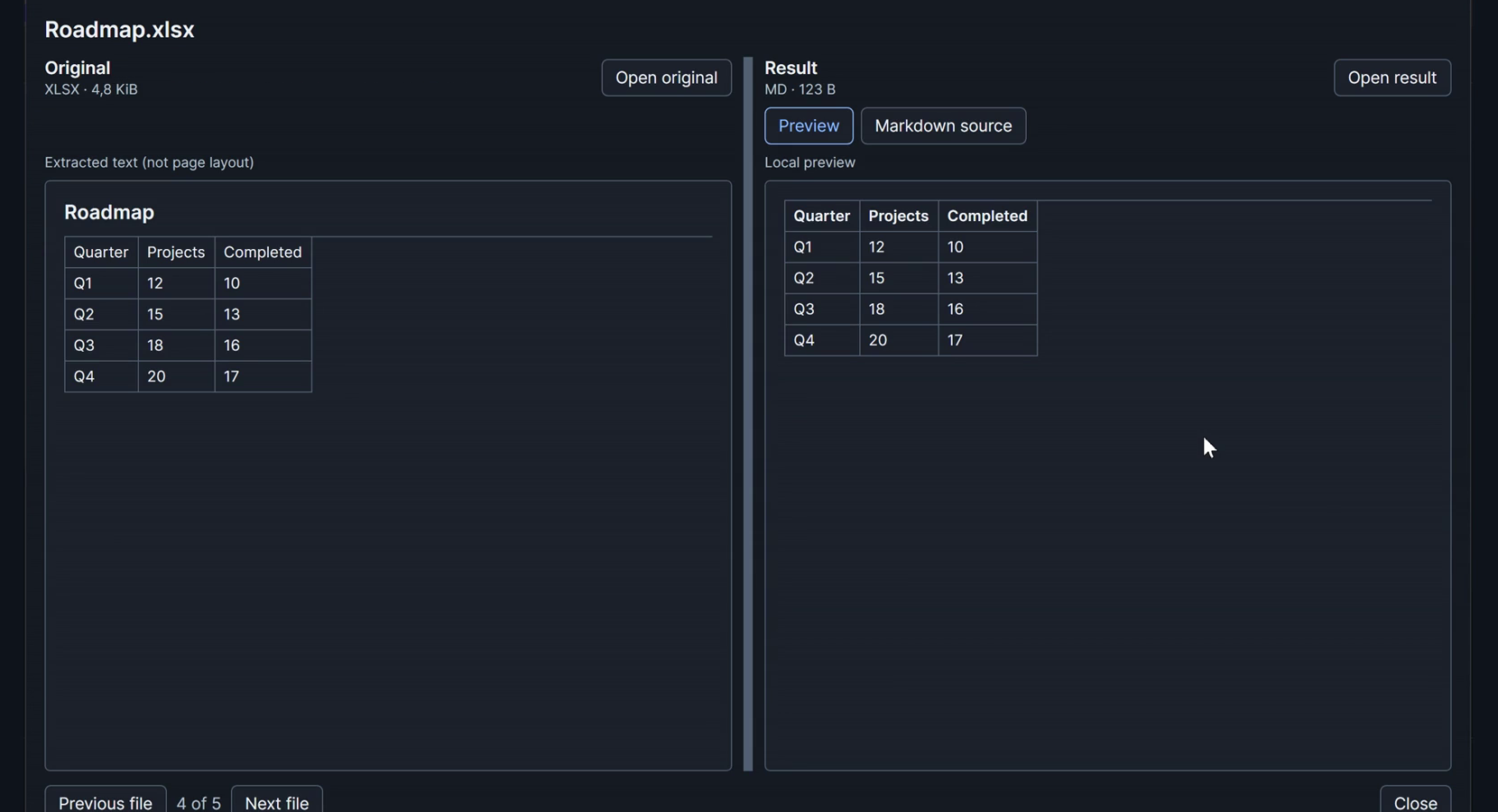
- Interface
- Windows x64 desktop app
- Formats and limits
- DOCX, DOC, XLSX, XLS, PPTX, HTML, TXT; supported text PDFs. Legacy PPT needs PowerPoint.
- Processing / OCR
- Local document processing; no mandatory account or cloud API. No bundled OCR.
- When to choose
- Batch queue, per-file status, Compare, Basic Quality Check and History. Free for personal, non-commercial use.
Selection guide · 2026-11-25
Which Markdown converter fits your workflow?
Compare five tools by workflow, supported documents and limitations. Zlet Converter is a Windows x64 desktop application for local batch conversion and result review.
Published by Zlet Labs. This is a documented capability comparison, not an independent benchmark: accuracy, speed and extraction completeness were not tested on a common corpus.
Tools and use cases
- Interface
- Command-line document converter
- Formats and limits
- DOCX, XLSX, PPTX, HTML, Markdown and many markup formats. PDF is an output option, not a listed built-in input reader.
- Processing / OCR
- Local file conversion; no built-in PDF OCR route listed.
- When to choose
- Good fit for scripted format transformations and publishing pipelines, including Markdown-to-document output.
- Interface
- Python library and command-line tool
- Formats and limits
- PDF, DOCX, PPTX, XLSX, XLS and other inputs via format-specific dependencies.
- Processing / OCR
- Local routes are available; optional Azure services or vision plugins can use external models or APIs.
- When to choose
- Useful for developer-controlled Markdown ingestion and integration. Choose dependencies and inspect the generated text.
- Interface
- Document processing toolkit; Python / CLI
- Formats and limits
- PDF, Office documents, HTML and images; structured document model with Markdown and JSON output.
- Processing / OCR
- OCR and layout processing are available. Local/offline use can require pre-downloaded model artifacts.
- When to choose
- Useful for scanned or layout-heavy documents and structured extraction pipelines. Configure the pipeline and validate results.
- Interface
- Browser-based Markdown tools
- Formats and limits
- Separate tools for PDF, DOCX, HTML, CSV, PPTX, images and other workflows.
- Processing / OCR
- Processing depends on the tool; image conversion uses an account and credits. Verify the chosen route before handling confidential files.
- When to choose
- Convenient for occasional browser conversions. Simple tools are advertised as free with ads; image extraction uses credits.
Where Zlet fits — and where it does not
Choose Zlet for local batches of supported files on Windows with individual result review. Consider Docling or separate recognition for scans and OCR; Pandoc or MarkItDown for scripted transformations. For occasional browser workflows, consider TO MD after checking processing conditions. Zlet 0.1.3 does not guarantee semantic fidelity, bundle OCR or provide public Linux/macOS builds.
Public Beta · Free for personal, non-commercial use. License